NEW ON STEAM · 10% OFF
Keyboard Chaos

At a glance
Keyboard Chaos game facts
Steam store information checked 2026-10-18。- Studio
- LostPixel Published by LostPixel
- Release
- Oct 14, 2026 Released
- Official genres
- Casual · Indie · Simulation
- Play mode
- Single-player
- Native online multiplayer
- Not listed by Steam
- Local multiplayer
- Not listed by Steam
- Shared/split screen
- Not listed by Steam
- Desktop platforms
- Windows
- Steam Deck
- Unknown No additional compatibility detail
- Controller
- Not listed
- Steam features
- Achievements · Cloud · Family Sharing
- Languages
- 12 listed languages English, French, Italian, German
| Language | Interface | Full audio | Subtitles |
|---|---|---|---|
| English | Supported | Not listed | Not listed |
| French | Supported | Not listed | Not listed |
| Italian | Supported | Not listed | Not listed |
| German | Supported | Not listed | Not listed |
| Spanish - Spain | Supported | Not listed | Not listed |
| Simplified Chinese | Supported | Not listed | Not listed |
| Portuguese - Brazil | Supported | Not listed | Not listed |
| Japanese | Supported | Not listed | Not listed |
| Korean | Supported | Not listed | Not listed |
| Polish | Supported | Not listed | Not listed |
| Russian | Supported | Not listed | Not listed |
| Turkish | Supported | Not listed | Not listed |
What that means for your setupKeyboard Chaos is the work of indie studio LostPixel, who also self-publish on Steam, and it sits squarely in the Casual, Indie, and Simulation lanes. It launched on October 14, 2026, and runs as a single-player experience only on Windows, so anyone hoping for couch co-op, online PvP, or shared-screen variants should know none of those modes are listed. Steam Cloud is supported for save syncing and Family Sharing is available, and Steam Achievements are in for completionists who like a checklist alongside their tidy-up, though full completion is currently undermined for some players by a progress-tracking bug worth mentioning. Steam Deck compatibility is listed as Unknown with no additional compatibility detail, and controller support is Not listed, with one reviewer explicitly noting no controller mapping at this time. The interface is localized across twelve languages including English, French, Italian, German, Spanish, Simplified Chinese, Brazilian Portuguese, Japanese, Korean, Polish, Russian, and Turkish, and crucially none of those languages are flagged with full audio or subtitles, so you are looking at text-only menus across the board regardless of which language you pick. There is no generational leap here, just a focused tidy-up sim about keycaps and keyboards, priced at $4.49 during a launch-week 10% discount off the $4.99 regular price.
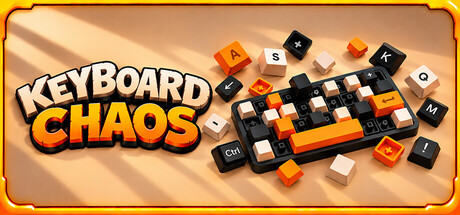
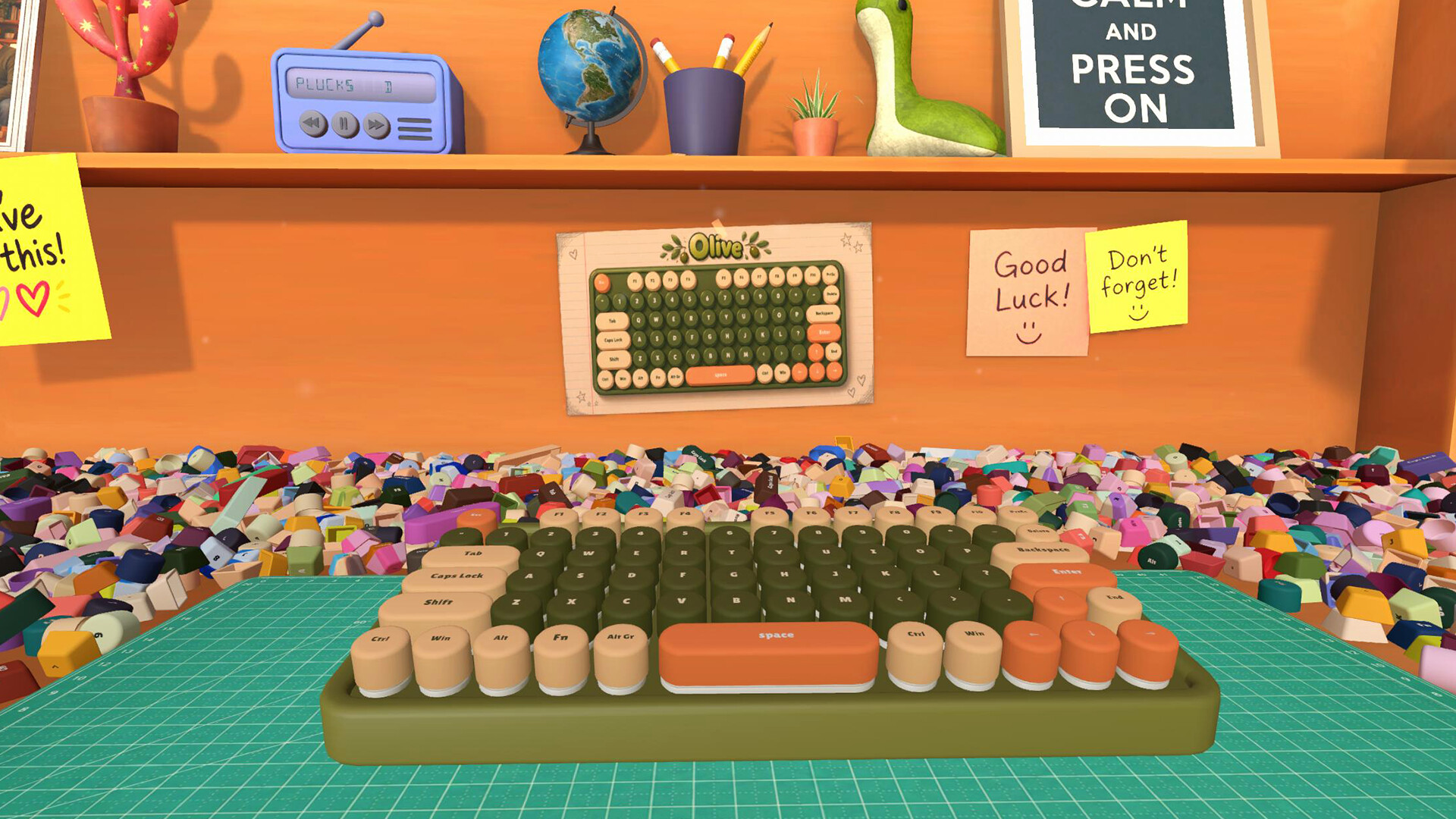
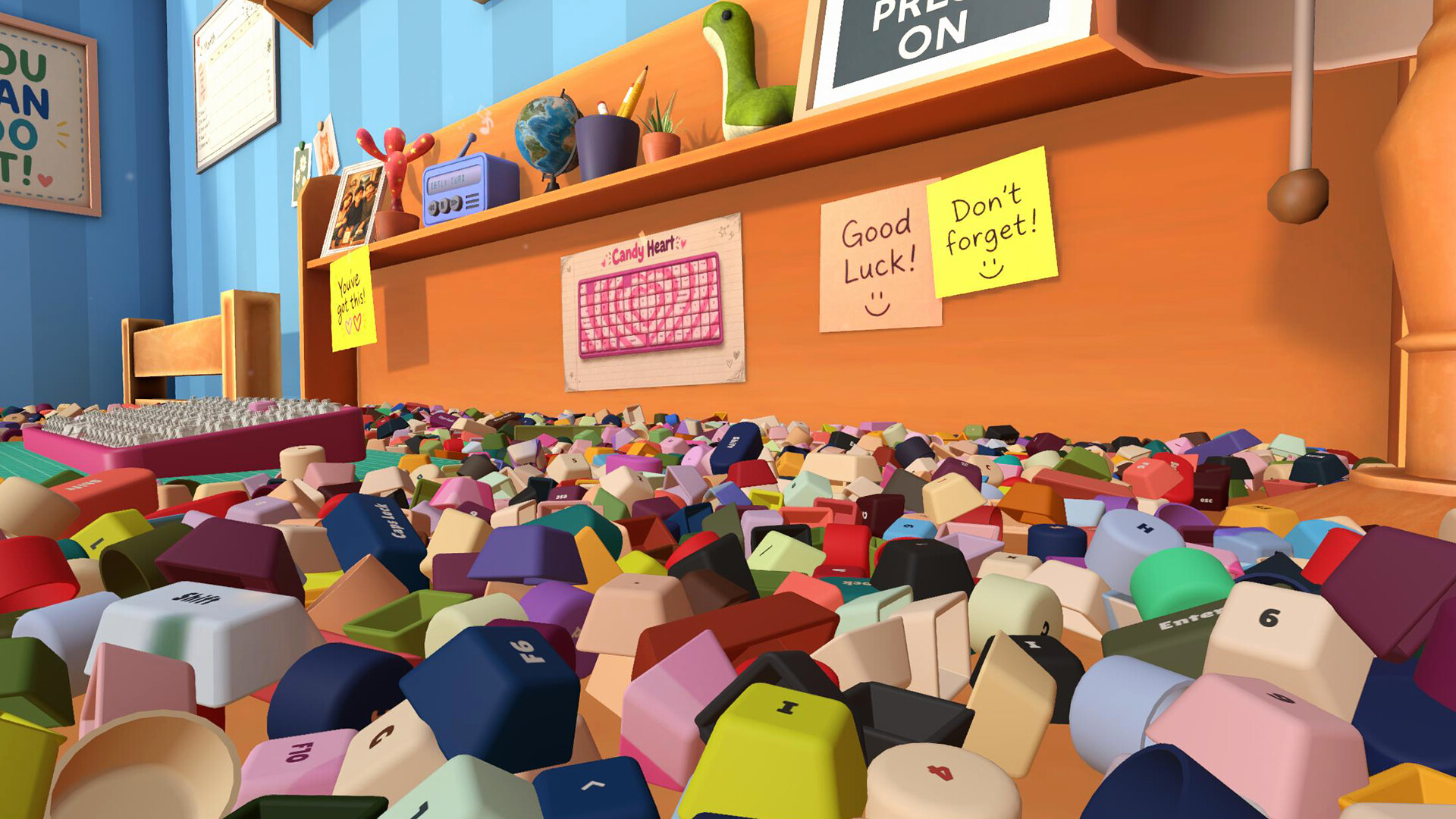
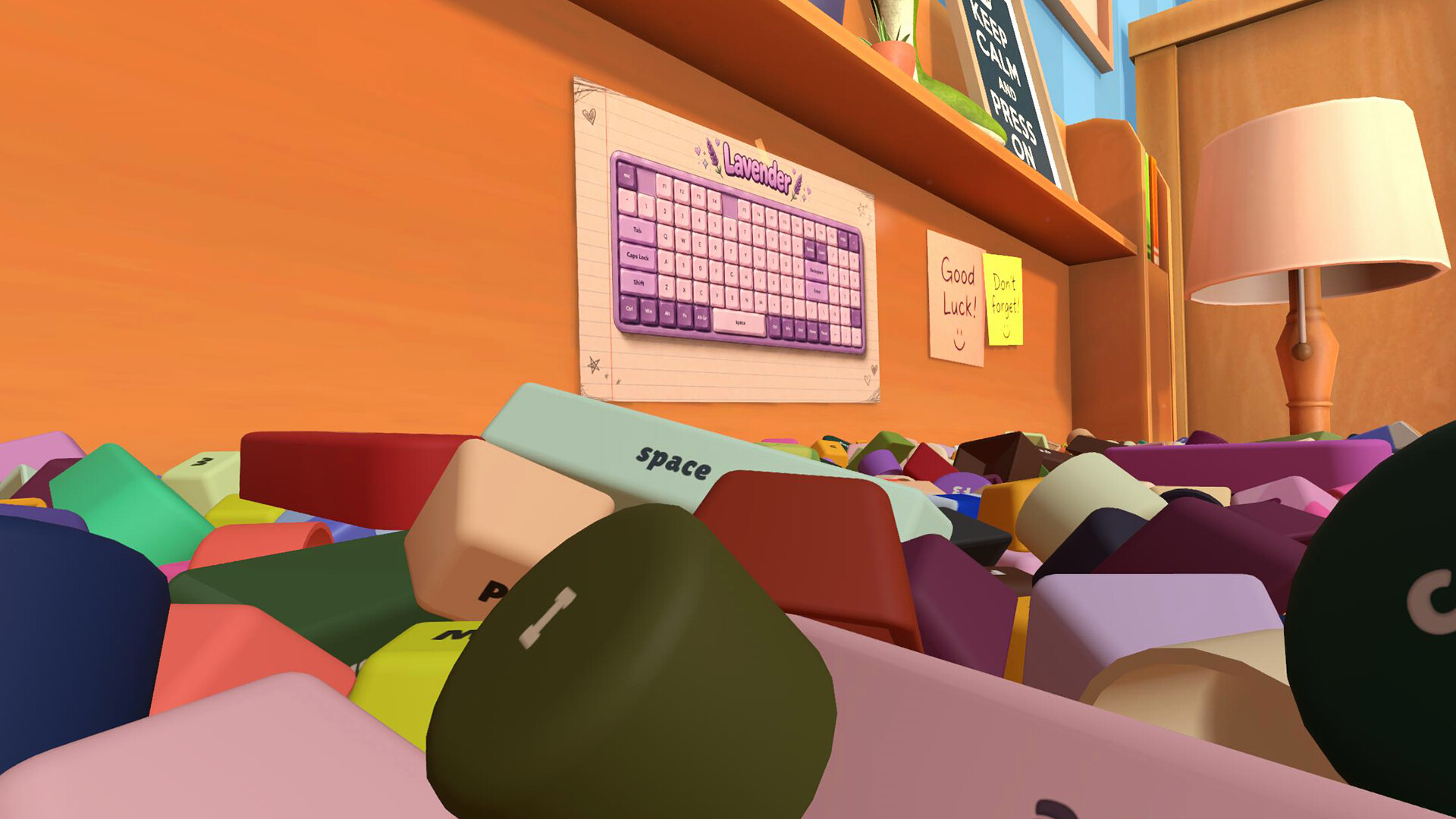
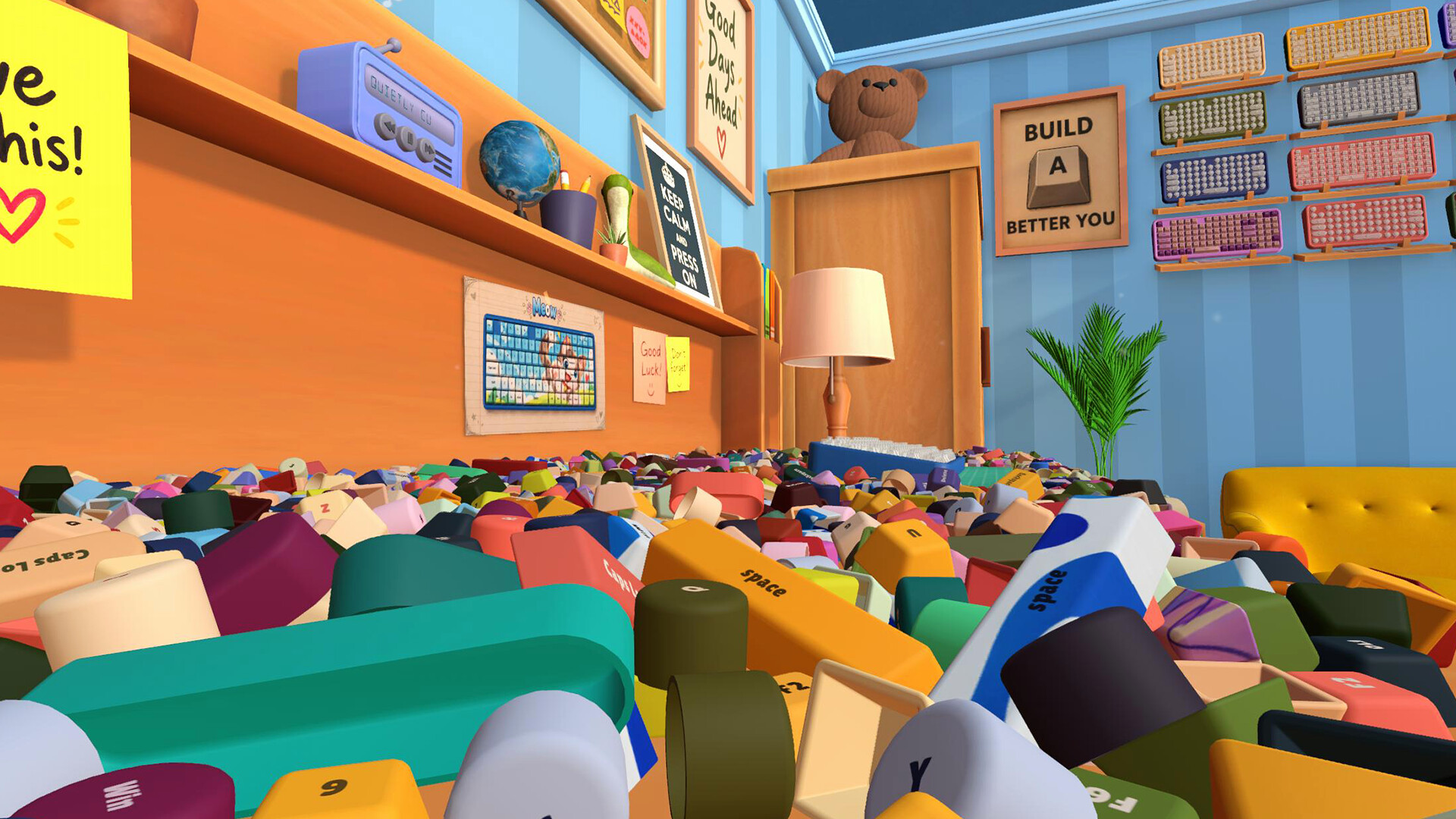
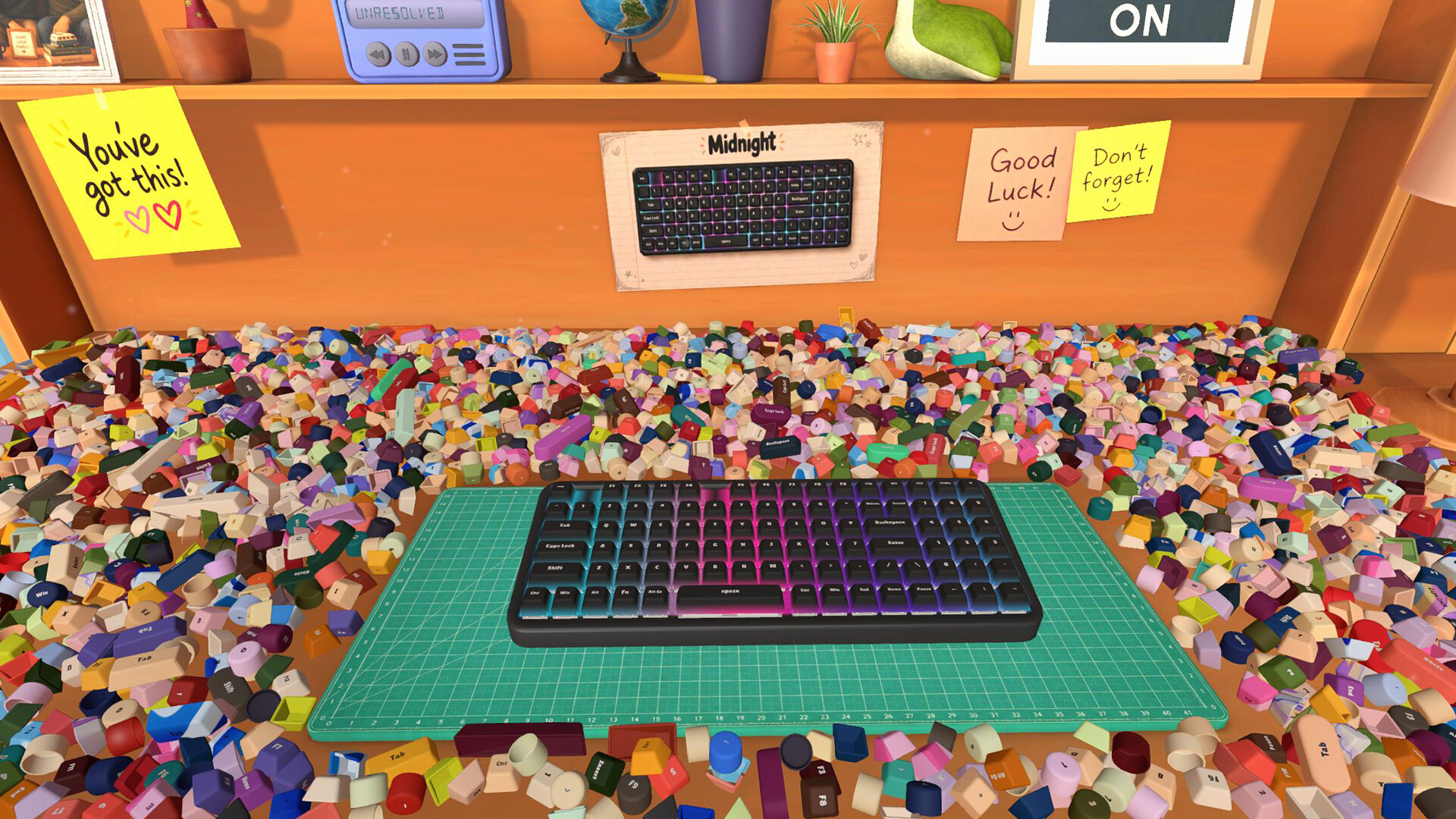
If you have ever spent a quiet evening hunting for that one last puzzle piece in a sea of similar-looking bits, Keyboard Chaos hands you 2,692 keycaps and asks you to slot every one into its rightful home on 32 distinct keyboards. Players describe that slow, satisfying loop of finding, lifting, and placing a keycap until it clicks as genuinely soothing, the kind of low-stakes brain scratch that pairs perfectly with a cup of tea and a desk radio playing laid-back tunes. The whole pitch is wonderfully narrow: read the legend printed on each cap, match it to the right slot on a board you have pulled down from your wall collection, and watch the keyboard light up as it fills in, square or round, patterned or colorful, no complicated mechanics standing between you and that quiet moment of completion.
What the game actually feels like
The central loop is deliberately simple: scan the legend printed on each scattered keycap, identify the matching slot on your selected keyboard, and place it, watching the board gradually light up as it fills in, which players consistently call the most satisfying part of the game.
Variety comes from the 32 keyboards themselves, mixing classic square boards with round layouts, each with its own shape, color palette, or full-board artwork, so the hunt changes as you move between ocean-themed, cat-themed, heart-themed, and more understated boards.
There is no skill tree, no speed upgrades, and no multi-pickup helper, which several reviewers highlight as a deliberate design choice rather than a missing feature; every keycap is picked up and placed by hand, keeping the experience hands-on and meditative.
A desk radio plays a laid-back soundtrack in the background that multiple players describe as calming enough to fall asleep to, turning the session into something closer to ambient background activity than a demanding puzzle.
What early players are seeing
What is landing
- One reviewer summed up the appeal by saying the game scratches a part of their brain in a way they cannot fully explain, praising the keycap designs as pretty and well-made and openly asking the developer to take their money and add more keyboards.
- Another long-time cozy-game fan called it simple, relaxing, and well made, noting that finding the right keycap and hearing it click into place never gets old and the keyboard designs are lovely, calling it great for winding down after a long day.
- A reviewer who finished the game praised its gentle difficulty curve, saying it got harder toward the end in a way they appreciated and that they would recommend it, while another highlighted how watching the desk clear up as the keyboards are completed scratches a particular itch for anyone who loves organizing virtually but would never want to do it in real life.
- Players on handheld hardware like the ROG Ally X report being obsessed with the game since release, calling it the right itch for organizing games, and the consistent language across reviews is that this is a calm, soft, satisfying tidy-up that rewards patience.
What still needs watching
- The game uses generative AI for some of its artwork, which several reviewers flag as a notable drawback; if AI-generated visuals are a deal-breaker for you, this is a real purchase-relevant concern and not a minor footnote.
- At least one player has reported a progress-tracking bug where every keyboard has been completed and the desk is empty, but four boards still show 2 to 4 missing pieces each for a total of 11 unplaceable caps, which blocks 100% achievement completion until patched.
- The pace is intentionally slow and entirely manual, with one patient reviewer logging around 7 hours for a full clear and describing the final stretch as an annoying slog sorting off-white to off-yellow pieces; if you want power-ups, highlights, or auto-gather tools, you will not find them here.
Is Keyboard Chaos worth buying now?
Current decision
Watch for updatesThe core tidy-up loop is genuinely well liked by players who enjoy slow, manual organizing games, the keyboard variety and soundtrack land for the cozy audience, and the $4.49 launch-week price is approachable, but a meaningful share of reviews flag generative AI art, an unfixed completion-blocking bug, and the absence of any skill or quality-of-life helpers, so the safest call is to keep an eye on patches before buying in.
Who this is for
A good fit if you…
- Fans of slow, hands-on tidy-up and organizing sims who specifically want every keycap moved by hand rather than snapped into place by a power-up.
- Cozy-game players looking for a low-pressure, low-stakes session to wind down with after a long day, especially while listening to the calming desk-radio soundtrack.
- Patient completionists who enjoy hunting for a last needle-in-a-haystack piece in a sea of similar-looking items and do not mind a 7-ish-hour manual clear without helpers.
- Indie sim collectors who want a focused single-player Windows experience with Steam Cloud save syncing and Family Sharing support at a budget price point.
- Keyboard and keycap enthusiasts who will appreciate the variety of 32 boards, from bold colors to full-board artwork, square and round layouts alike.
Wait if you…
- You are not willing to support a game that uses generative AI for some of its artwork, since multiple reviewers name this as a meaningful drawback.
- 100% achievement completion matters to you and you would be frustrated by a progress bug that can leave a small number of keys unplaceable even after the desk appears empty.
- You strongly prefer the usual tidy-up genre conveniences like highlight helpers, auto-gather, speed boosts, or sorting trays, because Keyboard Chaos intentionally offers none of those.
- Controller play on a handheld or couch setup is essential, since controller support is not listed and at least one player has confirmed no mapping currently exists.
If Keyboard Chaos is not quite your game

SIMILAR OPTION
Stardew Valley
Choose it ifPick Stardew Valley if you want a hundred-hour life sim with many interlocking systems, and pick Keyboard Chaos if you specifically want a short, hands-on tidy-up session without any of the surrounding life-sim scaffolding.
How it comparesSlow, cozy organizing and tidying gameplay loop Stardew Valley layers its tidying around a full farming, relationship, and exploration sim with combat, seasons, and a deep skill progression, while Keyboard Chaos is a tightly focused single-purpose tidy-up sim about placing 2,692 keycaps onto 32 boards with no farming, no NPCs, and no progression systems beyond Steam Achievements.

SIMILAR OPTION · 20% OFF
Dispatch
Choose it ifChoose Dispatch if you want a choice-driven comedic narrative with characters and office politics, and choose Keyboard Chaos if you want quiet, repetitive, tactile puzzle placement instead of any kind of story.
How it comparesCozy, casual single-player tone Dispatch is a narrative-driven superhero workplace comedy built around dialogue choices, episode structure, and managing a team of misfit heroes through branching story beats, whereas Keyboard Chaos is a mechanics-driven puzzle tidy-up with no story, no dialogue, and no characters beyond the boards themselves.

SIMILAR OPTION
Marvel’s Spider-Man Remastered
Choose it ifPick Spider-Man Remastered if you want a high-budget action experience with a story and a $59.99 price tag to match, and pick Keyboard Chaos if you want a $4.49 meditative tidy-up with no combat or campaign.
How it comparesSingle-player Windows release with broad appeal Marvel's Spider-Man Remastered is a premium-priced open-world action adventure focused on traversal, combat, and a full story campaign, while Keyboard Chaos is a budget-priced indie tidy-up sim focused on finding and placing keycaps with no action, no traversal, and no narrative.
Share this article